
Sens-Finder
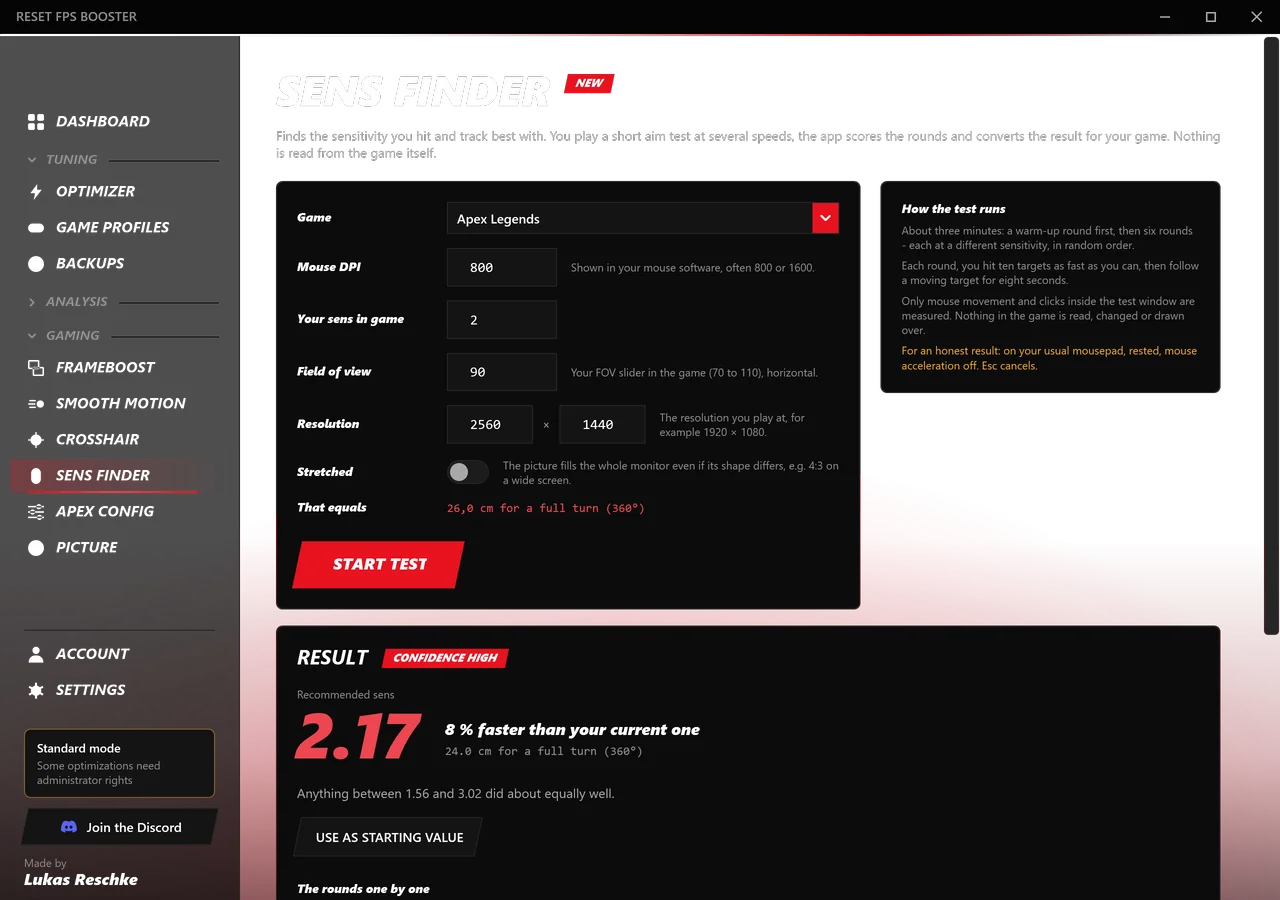
A short aim test with six sensitivities in random order. You get the one you hit and track best with, converted for Apex, CS2, Valorant and Fortnite.
RESET FPS BOOSTER reads your actual hardware, applies documented Windows and NVIDIA settings through their real APIs, and shows you exactly what changed. Every value, before and after, and every setting can be undone.
Windows 10/11 x64 · Free core app · No telemetry · v1.5.0
Downloads incl. updates
RESET accounts
With Premium right now
Optimization modules
Bottlenecks it can name
Fabricated FPS claims
Frames with FrameBoost
Every picture here is rendered from the app itself, in your language. Scroll through it.
FrameBoost and Smooth Motion are out of beta, and two new free tools help you dial in your aim and your Apex settings.
A short aim test with six sensitivities in random order. You get the one you hit and track best with, converted for Apex, CS2, Valorant and Fortnite.
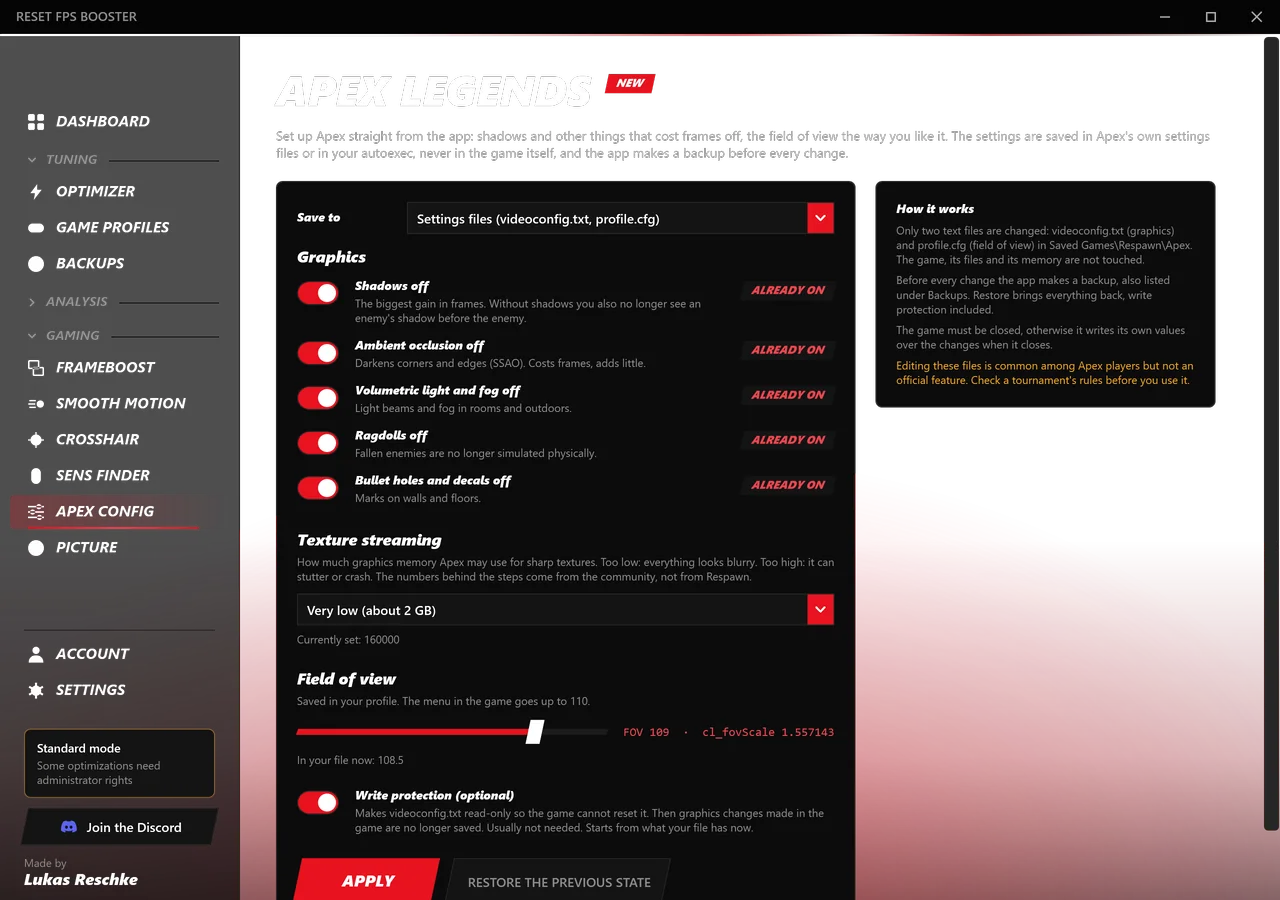
Turn off shadows, SSAO, fog, ragdolls and bullet holes, set texture streaming and FOV. A backup is made before every change.
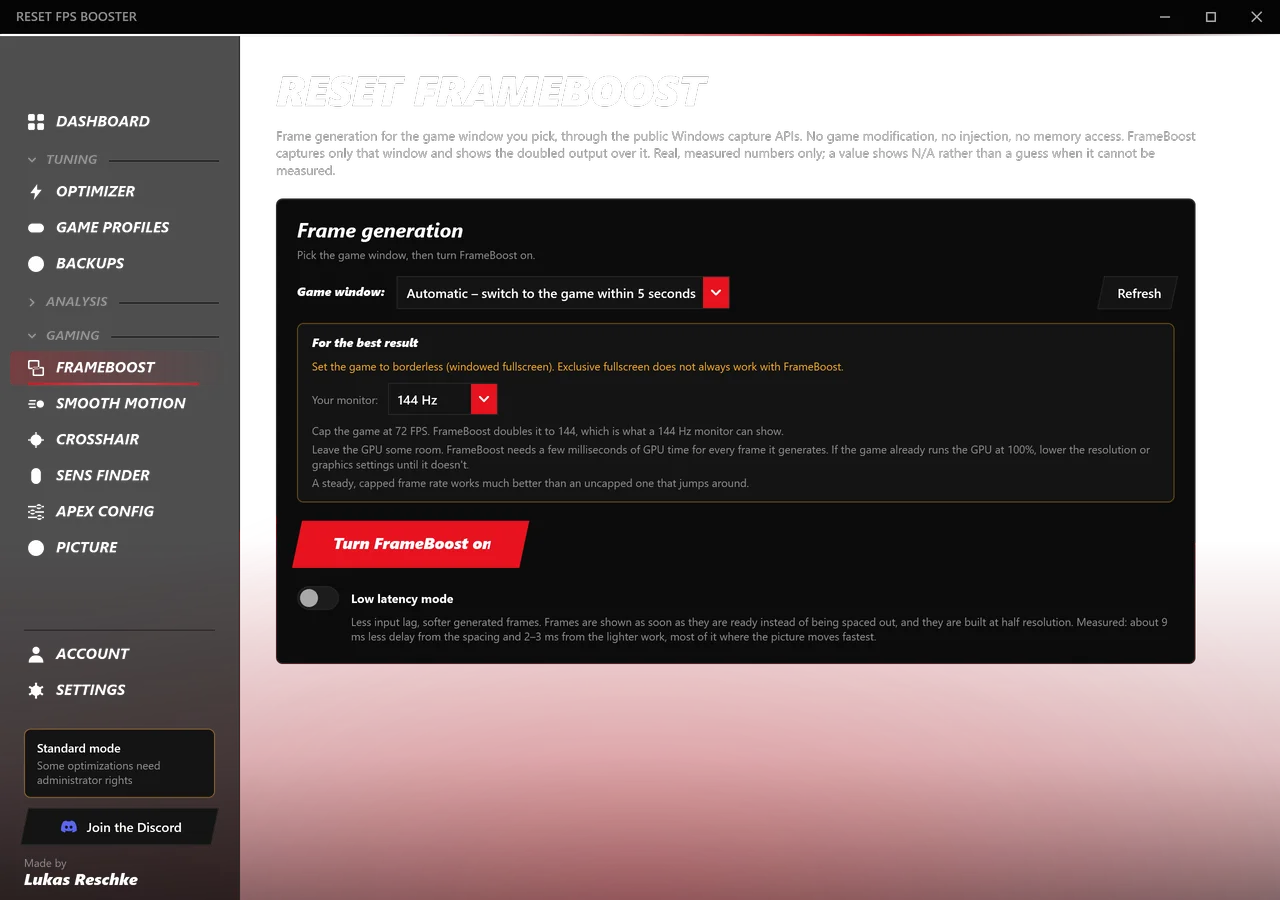
FrameBoost and Smooth Motion are a regular part of the app now. Your custom crosshair stays on top of the Smooth Motion picture.
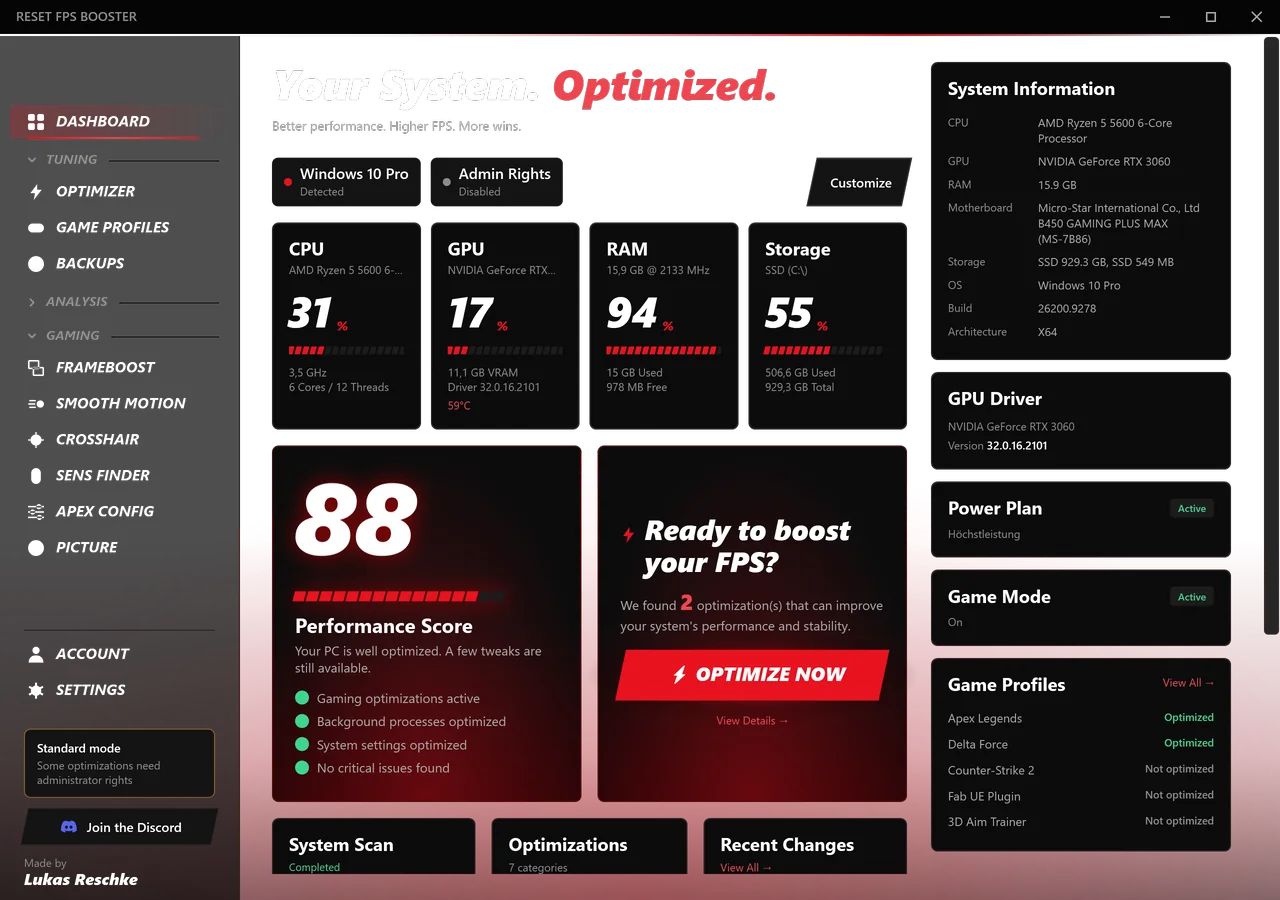
Red, black and white with motion, a start screen that reads your PC, and a tray icon. The sidebar is sorted into Tuning, Analysis and Gaming.
Pick modules the way you would in the app. The pit board shows exactly what each one writes, whether it needs admin or a restart, and what gets backed up first. These are the real keys and values from the source code.
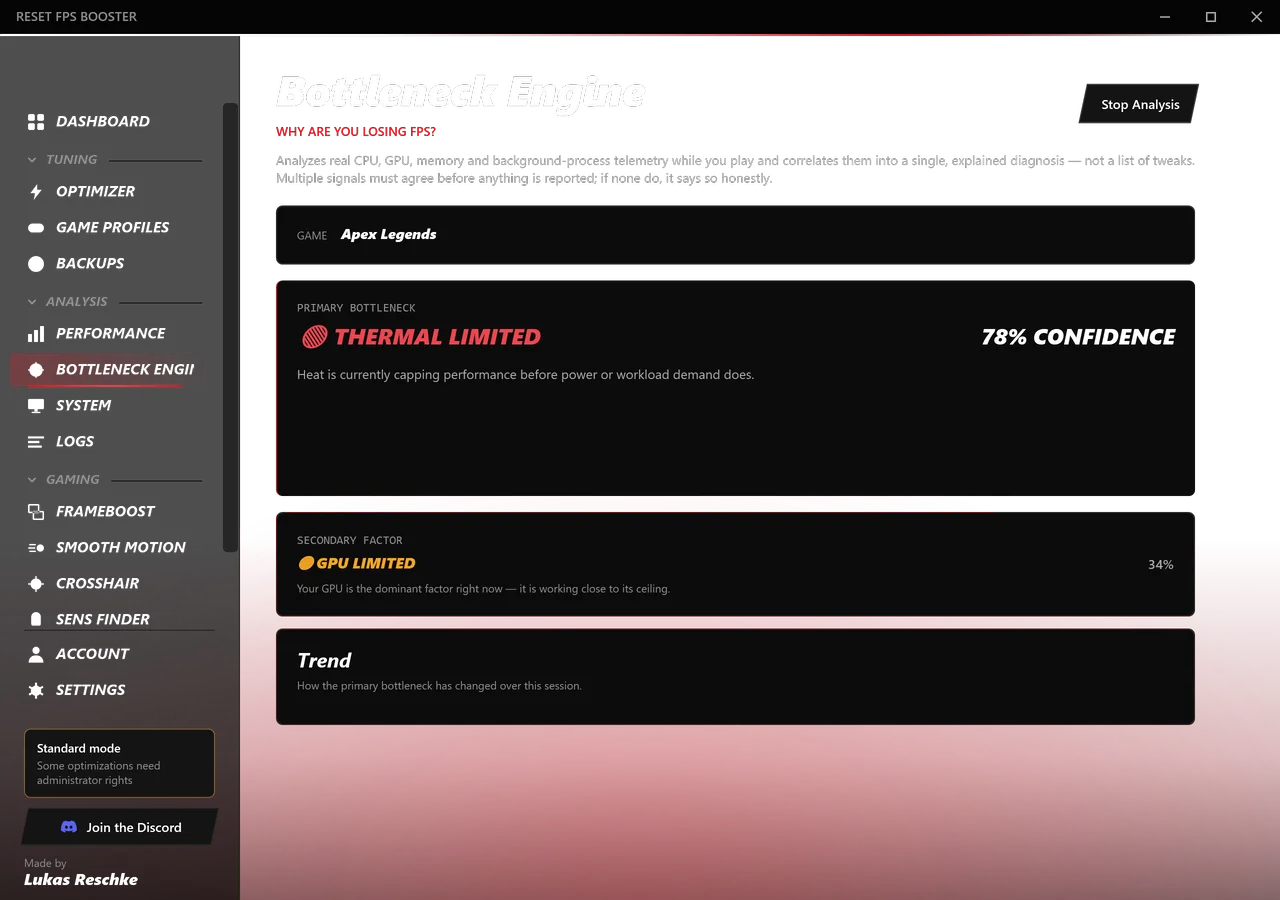
Instead of a list of tweaks, you get one explained diagnosis. The engine samples real telemetry every two seconds while you play and names what is actually holding the game back.
Example: a game capped at 60 on a 120 Hz screen.
Left of the line, every second frame is missing: that is 60 FPS. Right of it, all 120 are there. Drag the line, or switch to slow motion.
FrameBoost captures your game window, estimates motion between two real frames and shows a generated frame in between. It runs next to the game, never inside it.
Full-resolution motion estimation for the cleanest in-between frames, at the cost of a little extra latency.
Shows frames as soon as they're ready and estimates motion at lower resolution. Less delay, slightly softer generated frames.
Nothing is applied before you've seen it.
Reads your real CPU, GPU, RAM and storage and the current state of every module.
Shows the exact setting each module changes, its risk, and whether it needs admin or a restart.
Writes only what you approved, through the registry, NVAPI or power-plan APIs.
The previous value of every change is stored first, so each one can be reverted on its own.
When a game starts, other background apps drop in CPU priority. Nothing is suspended or closed, and everything returns to normal the moment you quit.
[GAME BOOST] Counter-Strike 2 detected (PID 41208)
> deprioritized 14 background process(es)
> game process priority: AboveNormal
✓ OBS64.exe untouched
✓ Discord.exe untouched
> waiting for exit…
// Managed by RESET FPS BOOSTER
fps_max              0
r_shadows            0
mat_bloomscale       0
stream_drop_unused   1
✓ previous autoexec.cfg backed up
Games are found from your real library metadata. Apex Legends and Counter-Strike 2 get a curated autoexec.cfg in one click, with your old file backed up.
Apex Config goes further: shadows, SSAO, fog, ragdolls, bullet holes, texture streaming and FOV, saved to Apex's settings files or your autoexec. A backup is made before every change.
A short aim test plays six sensitivities in random order. Afterwards you get the one you hit and track best with, converted for the games you play.
[SENS-FINDER] 6 rounds, random order · 800 DPI
> best hits and tracking: 32.5 cm/360
✓ Apex Legends       1.60
✓ Counter-Strike 2   1.600
✓ Valorant           0.503
✓ Fortnite           6.3 %
Every setting the app changes can be reverted. The one thing that can't, deleting temp files, tells you so and shows the size before it runs.
Every registry value, driver setting and file is snapshotted first. Restore one change or a whole session.
"Power Management: Adaptive → Prefer Maximum Performance." The actual old and new value, not a code.
On top of its own snapshots, the app creates a real System Restore point in one click.
Modules that need elevation say so upfront, and the app offers to restart elevated instead of failing silently.
Your own code gives your viewers a discount, and you earn a commission on every paid purchase made with it.
We don't know, and neither does anyone who promises a number before seeing your PC. The modules remove real overhead like background recording, power saving and network throttling. How much that is worth depends on what limits your game, and the Bottleneck Engine tells you exactly that.
Every module shows its risk level before you apply it, and the previous value is backed up first. You can restore a single change or a whole session, and create a Windows restore point on top. Temp file cleanup is the only action that can't be undone, and it says so.
The optimizer changes Windows and driver settings, not games. FrameBoost doesn't inject a DLL, hook the game or read its memory; it reads the game window the way screen capture does. We can't speak for every anti-cheat, so if you're unsure, check your game's rules.
Yes. All Windows modules work on any GPU. The NVIDIA Max Performance module and the GPU temperature readout are NVIDIA-only, and the app hides what doesn't apply to your hardware.
Five modules write system-wide settings that Windows only lets administrators change. They are marked upfront, and the app offers to restart elevated instead of failing silently. Everything else runs without admin.
Set the game to borderless window, because exclusive fullscreen doesn't always work. Cap it at half your monitor's refresh rate and leave the GPU some room. The app shows the exact cap for the monitor you pick.
No. Since version 1.5, FrameBoost and Smooth Motion are a regular part of the app. Both come with Premium, together with the custom crosshair.
No. It only measures mouse movement and clicks inside its own test window. The game, its memory and its files are never touched. You enter DPI, FOV and resolution yourself.
No telemetry. An account is only needed for Premium and stores your e-mail address. The update check asks GitHub whether a newer release exists.
English, German and Russian. You can switch live in the settings, without a restart.
Self-contained installer, no extra runtimes. The app updates itself.
Share your experience. Reviews appear here after a check, with your name or a pseudonym. Your contact is never shown.
Questions, setups, bug reports and first looks at new builds. The RESET Discord is where it happens.